Queue Management System: A Guide for Offices and Call Centres
Hiring teams, HR departments and customer service centres all share one problem: people waiting without knowing what happens next. A queue management system gives structure to candidate walk-ins, visitor desks, helpdesks and service counters. This 2026 guide looks at the workplace side: how to use queue tools for recruitment days, front offices and support teams, and what equipment to pair with them.
Where Do Workplaces Use a Queue Management System?
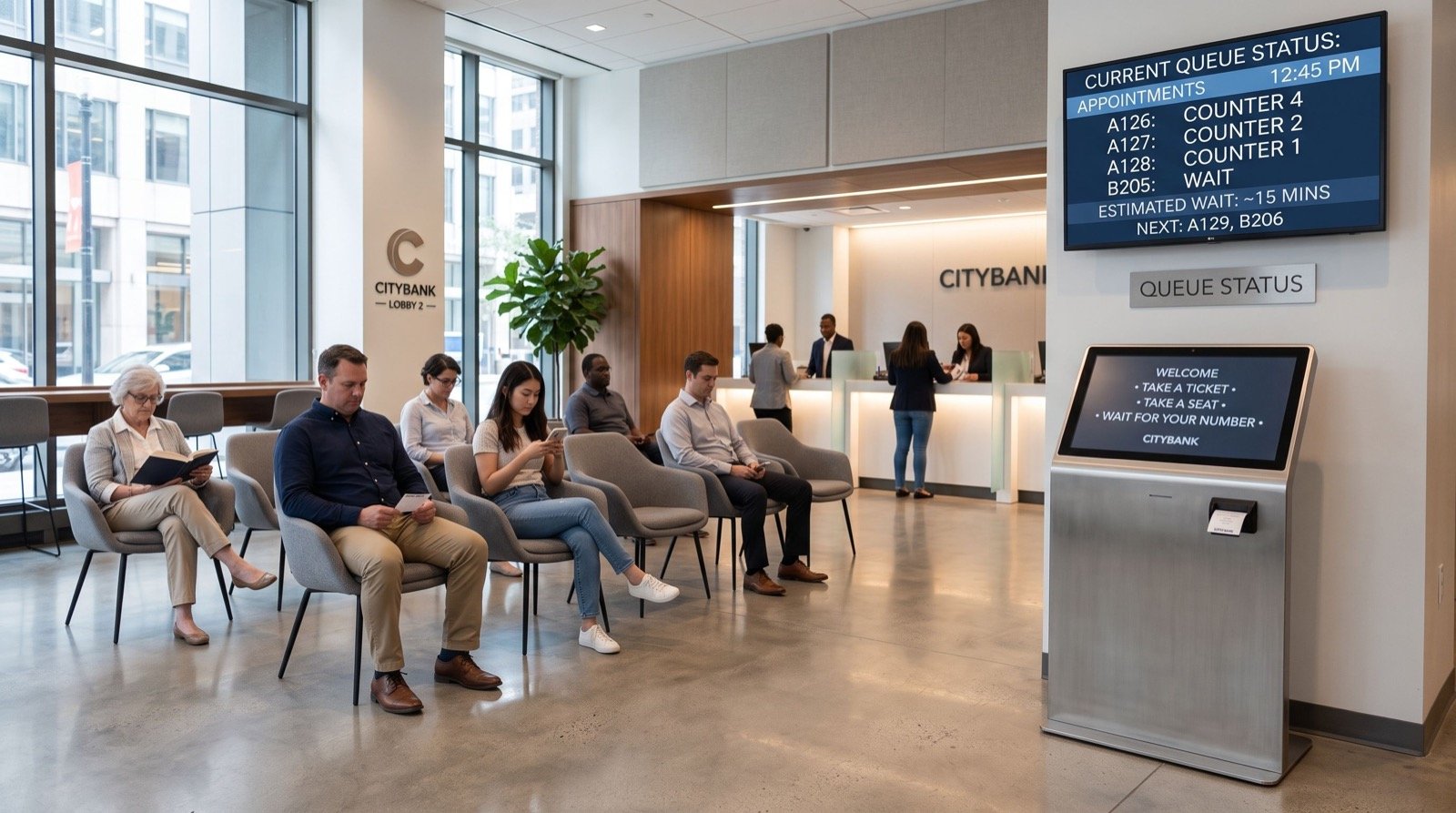
Most people picture banks, but offices have plenty of queues of their own.
- Walk-in interviews: hundreds of candidates arrive at once during job fairs.
- Visitor reception: couriers, vendors and guests need check-in.
- IT and HR helpdesks: employees queue for laptops, ID cards and payroll questions.
- Call centres: virtual queues route phone calls and chats.
In each case the aim is the same: fair order, visible progress and records you can audit.
How Can It Improve Recruitment Days?
Anyone who has run a mass hiring drive knows the confusion at the door. Candidates crowd the corridor, documents get lost, and interviewers sit idle while others are overloaded.
A simple recruitment-day setup
- Candidates register at a kiosk or by QR code and choose a role category.
- The system issues a ticket with a number and expected time.
- Document check desks call numbers in order.
- Interview rooms are assigned automatically as panels become free.
- Reports show how many candidates were processed per hour.
This approach treats applicants with respect, which strengthens your employer brand. People remember how they were treated, even when they are not hired.
What Is the Difference Between Physical and Virtual Queues?
| Aspect | Physical queue | Virtual queue |
|---|---|---|
| Where people wait | In a lobby | Anywhere, with phone alerts |
| Equipment | Kiosk, screens, consoles | Web or app, SMS gateway |
| Best for | Front desks, hiring events | Call centres, appointment services |
| Main risk | Crowding | No-shows |
Many organisations mix both. A visitor can book a slot online, arrive, scan a code and be called straight to a desk.
Which Audio and Display Gear Makes a Difference?
In busy reception halls, voice announcements are only useful if people can hear them. Call centres and help desks also depend on clear headsets. A solid example is the Addasound Crystal 2731, a noise-cancelling headset designed for contact-centre agents who handle calls all day. Comfortable, clear audio reduces repeated questions and shortens each interaction, which in turn shortens the queue.
Pair headsets with screens that show agent status, queue length and longest wait. Supervisors can then move staff before a backlog forms.
How Do You Measure Success?
Choose a small set of indicators and stick with them.
- Average waiting time per ticket.
- Service level, such as percentage handled within five minutes.
- Abandonment rate.
- Candidate or visitor satisfaction score.
The US National Institute of Standards and Technology publishes research on usability and measurement at nist.gov, which is helpful background when you design screens that people can read at a glance.
An original tip we use: run your first week without changing staffing, only measuring. The baseline you collect makes the improvement obvious later and silences sceptics.
What Should You Check Before Choosing a Supplier?
- Local support and spare parts availability.
- Language support for Urdu, English and Arabic if you operate across borders.
- Scalability to extra counters or branches.
- Data security and backup.
- Clear pricing for licences and maintenance.
If your own team lacks technical staff, work with reliable local experts who can install, train and respond quickly when something fails. Cheap equipment without support often costs more within a year.
How Do You Design a Fair and Transparent Queue?
Fairness is the quiet promise of any queue. People accept waiting when they believe the rules are clear and applied equally. A system helps you keep that promise, but you still need to decide the rules in advance.
Rules worth writing down
- Which categories get priority, such as pre-booked candidates or senior visitors.
- How long a missed number is held before it is skipped.
- Whether tickets can be transferred between counters.
- How complaints about order are handled.
Display a short version of these rules next to the kiosk. Transparency reduces arguments before they start, and it protects front-desk staff from awkward confrontations.
Why does the first impression matter for employers?
A candidate who spends three hours in an unmanaged corridor leaves with a poor view of your company, regardless of the outcome. A calm, numbered process signals competence. Over a year of hiring events, that difference shows up in acceptance rates and referrals.
What About Data Privacy and Record Keeping?
Queue tools often collect names, phone numbers and visit reasons. Treat that information with care. Collect only what you need, keep it for a defined period, and restrict who can see it. If you run a cloud platform, ask where the data is stored and whether it is encrypted in transit.
For recruitment days, separate the ticket system from the applicant records, and share only the ticket number with interview panels until a candidate reaches the right stage. This protects privacy and also helps reduce unconscious bias during early screening.
Which Quick Wins Can You Try This Month?
- Add a visible number display to your reception desk.
- Offer online pre-registration for the next hiring event.
- Send a text message when a candidate is five numbers away.
- Hold a ten-minute stand-up each morning to review the previous day’s longest waits.
These small steps cost little and often produce visible improvement before you commit to a larger purchase.
Frequently Asked Questions
What is a queue management system used for?
It organises waiting customers or visitors by issuing numbers, directing them to counters and collecting data about wait and service times.
Can a small office benefit from one?
Yes, especially if you receive scheduled visitors or run regular recruitment sessions. A compact kit with one kiosk and one screen is often enough.
Is it difficult for staff to learn?
No. Agents typically learn the next, recall and transfer buttons within an hour. Short practice sessions before launch prevent most errors.
Does it work with remote or hybrid teams?
Virtual queues and web check-in let remote supervisors monitor activity and assign work from anywhere.
Conclusion
Whether you run a front office, a hiring event or a support desk, a queue management system brings order and fairness to every waiting moment. Start small, measure your baseline in 2026, add the right headsets and displays, and review results monthly. Contact a supplier for a demo and see the difference in your own space.